


Utah
Telehealth in Utah: Virtual Care and Prescription Info
This Utah category page supports patients and caregivers who need clearer options. Utah Telehealth can help organize common virtual care needs in one place. It also helps set expectations before a video visit starts. Use this page to compare visit types, specialties, and practical preparation tips.
Virtual care is not right for every situation. Severe symptoms, chest pain, or trouble breathing need urgent care. For emergencies, call 911 or go to the nearest emergency department. This directory focuses on non-emergency needs and follow-up planning.
Utah Telehealth What You’ll Find
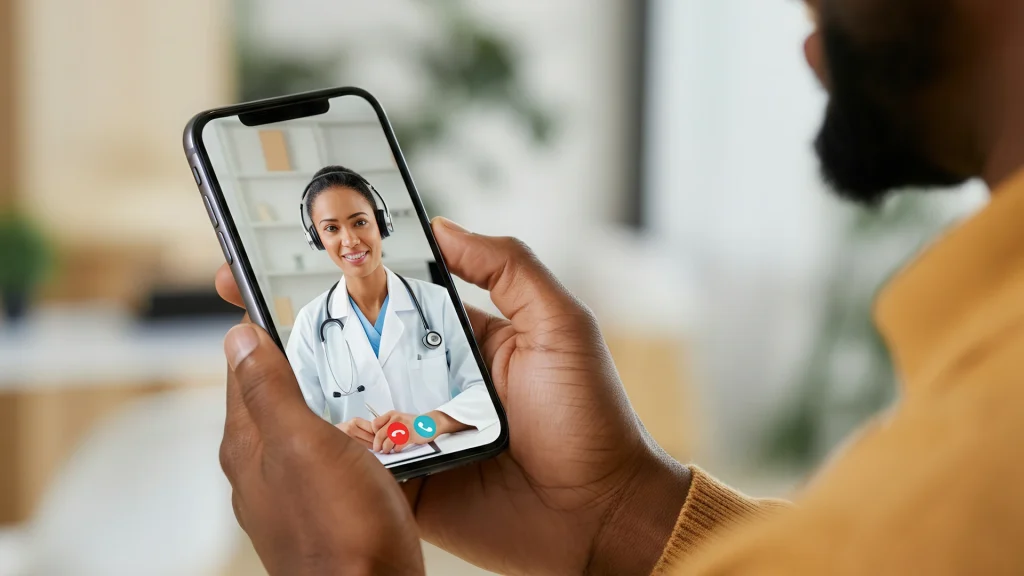
This browse page brings together services, reading, and next-step planning tools. It is built for fast comparison and fewer surprises later. Many listings focus on real-time video visits, not in-person care.
Telemedicine (remote clinical care) can be delivered in different ways. Some visits are synchronous (live video). Others are asynchronous (message-based), when available. This page helps clarify what each option means, and what it may include.
- Common virtual visit types and what they are used for
- Specialty areas, like primary care, dermatology, and behavioral health
- Administrative details, such as documentation and follow-up expectations
- Prescription-related basics, including when an Rx may be required
- Planning help through our Telehealth Appointment visit flow
- Broader browsing through Telehealth Topics and related guides
How to Choose
Many people start with Utah Telehealth and then narrow by visit goal. The best match usually depends on symptoms, history, and follow-up needs. The notes below can help sort options without guessing.
Match the visit type to the need
- Check whether the visit is live video or message-based support.
- Look for age range details when care involves children or teens.
- Confirm whether the focus is urgent concerns or ongoing management.
- Review how photos or attachments are handled for skin concerns.
- Note whether mental health care includes therapy, medication review, or both.
Quick tip: Use a short checklist from Prepare For Telehealth before starting the visit.
Plan for follow-up and documentation
- See whether follow-up is built in or needs a separate visit.
- Check what documentation can be provided after a visit.
- Ask how referrals or lab orders are handled, when needed.
- Confirm how care is coordinated if symptoms change after the visit.
- Review communication limits, such as messaging windows, if listed.
Visits are handled by licensed clinicians practicing in the U.S.
Using This Directory
This directory works best when browsing is goal-first, not brand-first. Start with the care area, then compare visit formats and requirements. Use filters to narrow results by specialty, visit type, and common care topics.
Utah Telehealth listings often describe what a visit can cover in general terms. They may also note limits, such as when an in-person exam matters. When details are not clear, it helps to write questions before scheduling.
- Visit format: Live video versus forms, chat, or mixed formats
- Clinical scope: Common concerns addressed versus excluded concerns
- Patient type: Adult-only, pediatric support, or family coverage
- Care area: Primary care, women’s health, men’s health, dermatology, or mental health
- Follow-up: How next steps are handled after the first visit
- Records: Whether visit notes or summaries are available
Quick tip: Test audio, camera, and lighting before joining the video visit.
Access and Prescription Requirements
Virtual care access depends on identity, location, and clinical appropriateness. Clinicians typically must be licensed for the state where the patient is located. For background, a plain-language overview is available from HHS Telehealth basics.
Utah Telehealth visits may result in a prescription when clinically appropriate. Some conditions can be handled with self-care guidance only. Others may require an in-person exam or testing first. Controlled medications have extra rules and may have stricter limitations.
Many services support cash-pay options, often without insurance. Administrative steps may still apply, including verifying name, date of birth, and pharmacy details. Keep a current medication list, including doses in mg or mL when known.
When appropriate, clinicians can coordinate prescriptions through partner pharmacies.
Why it matters: Verified dispensing helps reduce counterfeit medication risk.
If a pharmacy is involved, legitimacy checks matter. A practical safety reference is FDA BeSafeRx guidance for online pharmacy use.
For prescription logistics, see Prescriptions Through Telehealth for common steps and terminology.
Related Resources
Some needs benefit from deeper reading before a visit starts. For common visit-fit examples, review What Telehealth Can Treat. For emotional well-being support, browse Telehealth For Mental Health. For skin concerns, Teledermatology Services explains how photo-based reviews often work. If travel or distance makes care harder, Telehealth In Rural Areas covers access considerations.
This content is for informational purposes only and is not a substitute for professional medical advice.
Find a doctor thats right for you
Find a doctor
Specialities
Location

Video Visit
$69
Frequently Asked Questions
What health concerns are usually a good fit for telehealth?
Telehealth often works well for non-emergency concerns and follow-ups. Examples include minor infections, skin rashes, medication reviews, and chronic condition check-ins. Mental health care, like therapy or medication management, may also be available. Some concerns still need an in-person exam or testing. Serious symptoms need urgent or emergency care. A clinician can help decide what is appropriate during the visit.
How do prescriptions work after a virtual visit?
A prescription is not guaranteed after any telehealth visit. If a clinician thinks medication is appropriate, they may send an Rx to a pharmacy. Some services coordinate with partner pharmacies for fulfillment. The pharmacy may also verify identity and prescription details. Certain medications have added legal restrictions and may require in-person evaluation. Keep an updated medication list to avoid unsafe interactions.
What information should I have ready before scheduling a visit?
Have a short symptom summary and when it started. Keep a list of current medications, including strength and how often taken. Note allergies and past reactions to medications. If relevant, list recent vitals like temperature or blood pressure readings. For skin concerns, have clear photos in good lighting. Also confirm a quiet location and stable internet for the video visit.
How can I tell if an online pharmacy is legitimate?
Legitimate pharmacies require a valid prescription for prescription-only medications. They provide a physical address and contact information. They also offer access to a pharmacist for questions. Be cautious with sites that skip prescription requirements or make unrealistic claims. Use reliable references from U.S. regulators and medical boards when unsure. If something feels off, pause and verify before sharing payment details.
What should I do if symptoms feel urgent during a telehealth visit?
Telehealth is not a replacement for emergency care. If symptoms are severe or rapidly worsening, seek urgent evaluation. Chest pain, severe shortness of breath, fainting, or signs of stroke need immediate help. Call 911 or go to the nearest emergency department. If symptoms change while waiting for a visit, do not delay emergency care. Telehealth can still help with follow-up after stabilization.