


Oregon
Oregon Telehealth Directory and Virtual Care Options
Oregon Telehealth can help patients and caregivers compare online care options. This directory focuses on visit types, common use cases, and practical next steps. It also links to guides that explain virtual visits in plain language. People can use it to plan for scheduling and paperwork needs.
Care is provided by licensed U.S. clinicians.
Telemedicine can feel different than an office visit. Many visits focus on symptoms, history, and visual checks by video. Some care needs an exam, testing, or imaging in person. This page helps set expectations before booking anything.
Oregon Telehealth What You’ll Find
This directory brings together Medispress navigation pages and education. Start by browsing the broader Telehealth Category for common topics. For visit logistics, review the Telehealth Appointment page. It explains the overall flow and what information may be requested.
Many people want to compare virtual care by situation. Some visits cover short-term concerns, like cough or rash. Others focus on ongoing management, like asthma or diabetes check-ins. Some visits support mental health conversations and follow-up. This directory points to resources that match those goals.
Telehealth also changes how records move. A video visit often relies on accurate medication lists and recent vitals. Some clinicians may request photos, if clinically appropriate. That approach is sometimes called asynchronous care (store-and-forward). This page helps readers understand those terms before scheduling.
- Navigation links for telehealth services and visit flow
- Educational reading on what virtual care can address
- Planning tips for video, forms, and documentation
- Safety basics, including privacy and scam awareness
- Prescription process overviews, when prescribing is appropriate
For a high-level orientation, see Why Telehealth Works. It explains where virtual care fits well. It also notes where in-person care still matters.
How to Choose
Choosing among virtual care options works best with clear priorities. Oregon Telehealth searches often start with one key question. Is the need urgent, routine, or ongoing support? That framing helps narrow the best visit type and timing.
Visit Type and Timing
Virtual care can work for quick questions and planned follow-ups. It may not fit severe symptoms or emergencies. Use these factors to sort options before booking.
- Whether symptoms suggest urgent evaluation or routine follow-up
- Need for same-day versus scheduled visits
- Comfort with video visits versus message-based screening
- Whether photos or home readings may be needed
- Plans for in-person care if an exam becomes necessary
Clinical Fit and Follow-up
Different clinicians focus on different scopes of care. Some concentrate on primary care needs. Others cover mental health, skin, or chronic disease support. Planning for follow-up reduces frustration after the visit.
- Whether the concern is new, recurring, or long-standing
- Medication review needs, including refill history and allergies
- Need for notes for school, work, or caregiving coordination
- Comfort discussing sensitive topics by video
- Whether the visit may require referrals or in-person testing
Helpful questions can keep the visit focused and safer. Use Top Questions For Telehealth to build a short checklist. For practical setup, review Prepare For Telehealth Appointment before scheduling.
Quick tip: Write symptoms, timing, and medications in one note before check-in.
Using This Directory
Use this directory like a comparison tool. Start broad, then narrow to the most relevant pages. Pay attention to what each page emphasizes, such as primary care, mental health support, or dermatology. Use it to collect questions and plan next steps.
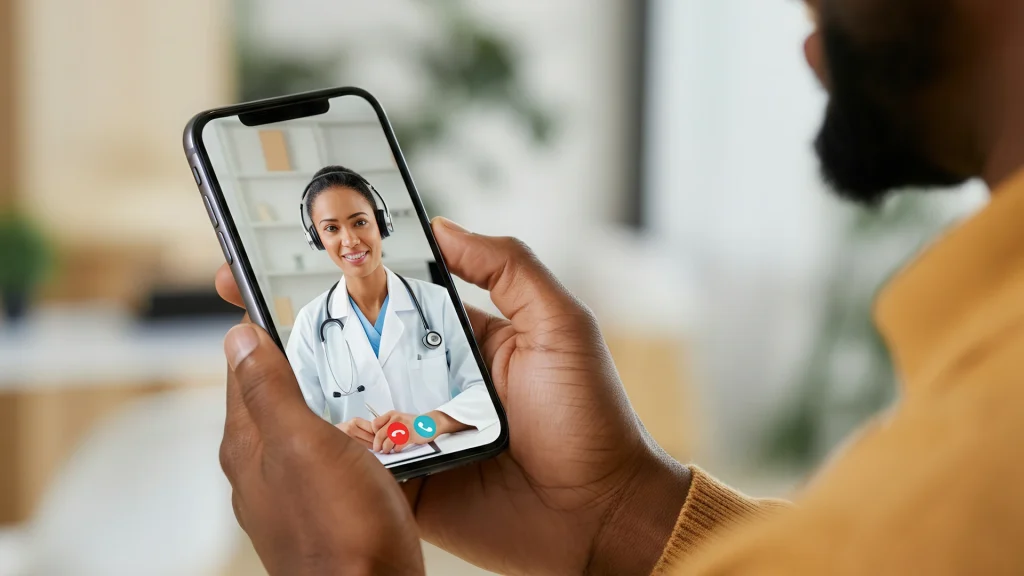
Visits happen by video through our HIPAA-compliant app.
Virtual care profiles and guides often use similar fields. The table below explains how those fields usually read. It also highlights common misunderstandings.
| Field | What it usually means |
|---|---|
| Visit format | Video is live and interactive; messaging may be limited. |
| Scope of care | Topics a clinician may address during a virtual visit. |
| Documentation | Information needed, like medication lists and prior diagnoses. |
| Follow-up plan | When repeat visits or in-person evaluation may be recommended. |
| Prescriptions | Possible only when clinically appropriate and legally permitted. |
Tech issues can derail otherwise solid care. See Tech Troubles Tips for simple setup steps. For safety, review Safe From Medical Scams to spot red flags. For an official privacy overview, read this HIPAA overview from HHS before sharing sensitive information.
Access and Prescription Requirements
Access rules vary by service type and clinical situation. Oregon Telehealth visits may be appropriate for counseling, follow-up, or low-risk questions. Some symptoms still need hands-on exams, imaging, or urgent evaluation. The clinician on the visit can explain those limits.
Prescription medications require a valid prescription. A licensed pharmacy typically verifies it before dispensing. Some prescriptions also require identity and location checks. Patients may be asked for a government ID and a current medication list. Cash-pay options are often available, including without insurance, depending on the service.
When clinically appropriate, clinicians can coordinate prescriptions through partner pharmacies.
Online medication safety matters, even when everything feels convenient. For practical safety checks, review this FDA BeSafeRx guidance on online pharmacies. It explains how to spot unsafe sellers and counterfeit products.
Why it matters: Clear documentation helps reduce delays and avoid unsafe medication errors.
Related Resources
Use the resources below to deepen understanding and set expectations. What Telehealth Can Treat offers examples across common concerns. For communities with longer travel times, Telehealth In Rural Areas explains where virtual care can reduce barriers. If prescriptions are part of the plan, Prescriptions Through Telehealth outlines the typical steps and limits.
This content is for informational purposes only and is not a substitute for professional medical advice.
Find a doctor thats right for you
Find a doctor
Specialities
Location
Sorry, there are currently no results - please sign up for updates and we will be in touch when new options become available.
Frequently Asked Questions
What types of issues can be discussed in a telehealth visit?
Telehealth visits often work well for symptom discussions, medication reviews, and follow-up questions. They can also support mental health check-ins and some skin concerns by video. Clinicians may ask for home readings, like temperature or blood pressure, when available. Some issues still need in-person exams, imaging, or lab work. A clinician can explain when virtual care fits and when escalation is safer.
How do prescriptions work after a virtual visit?
A clinician may recommend over-the-counter care, monitoring, or an in-person exam. When prescribing is clinically appropriate and legally permitted, a prescription can be sent to a pharmacy. Pharmacies typically verify prescriptions before dispensing. Some medications have extra rules, including identity checks or limits on remote prescribing. It helps to have an updated medication list, allergy history, and preferred pharmacy details ready.
What information is helpful to have ready for a video visit?
Most visits go smoother with a short timeline of symptoms and any triggers. A current medication list helps, including over-the-counter products and supplements. Past diagnoses, recent test results, and allergies also matter. If a rash or swelling is involved, clear photos taken in good light may help. For caregivers, it helps to note height, weight, and recent vital signs when known.
Can telehealth replace in-person urgent care?
Telehealth can sometimes help with triage (symptom sorting) and next-step planning. It may also support follow-up after an urgent care visit. It does not replace emergency care for severe symptoms, like chest pain or major breathing trouble. Many virtual visits end with guidance to seek in-person evaluation when an exam or testing is needed. A clinician can explain the safest setting based on symptoms.
How is privacy handled during a video visit?
Privacy depends on the platform and the environment during the call. Many services use encrypted, HIPAA-aligned systems for communication. Privacy also improves when the patient is in a quiet, private space with headphones if needed. It is reasonable to ask how records are stored and who can access them. Patients should avoid sharing medical details through unverified links, pop-ups, or unsolicited messages.