


Florida
Florida Telehealth Directory and Virtual Care Resources
Florida Telehealth helps patients and caregivers understand virtual care options in one place. This category page focuses on how telemedicine can work for common needs. It supports browsing by care type, specialty, and practical logistics. It also highlights what to expect before, during, and after a visit.
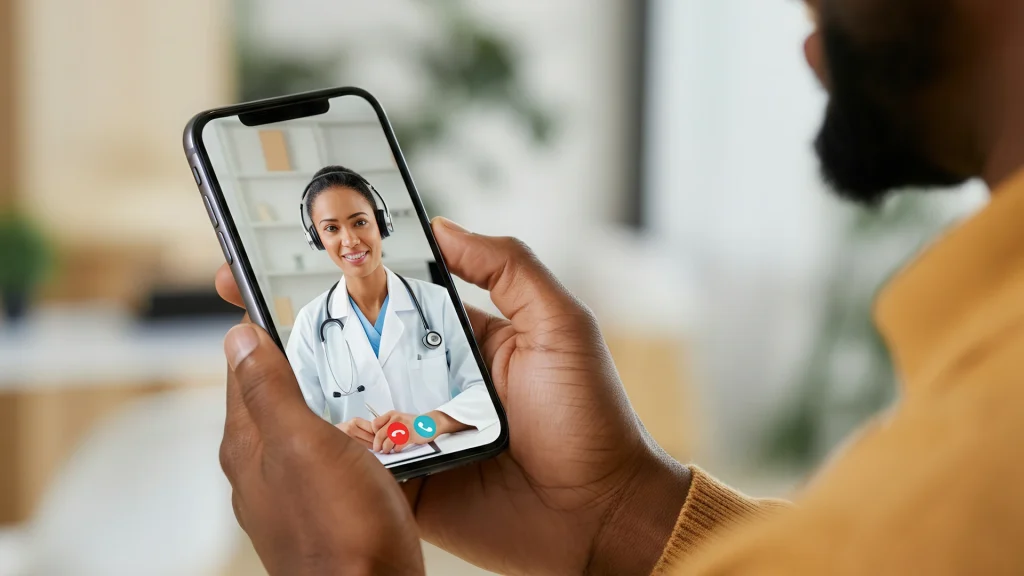
Many people use virtual care for minor illness questions and chronic condition check-ins. Others use it for skin concerns, mental health support, or follow-up planning. Care teams may also review labs, images, and medication histories. Visits on Medispress happen by video through a secure mobile app.
Use this directory to compare options, then follow links for deeper reading. For broader navigation, see the Telehealth Category. If a visit seems appropriate, review the Telehealth Appointment page for format details.
Florida Telehealth What You’ll Find
This browse page gathers practical details that shape a virtual visit experience. It helps families compare care paths without guessing what happens next. Expect clear labels that separate urgent-style questions from ongoing primary care needs. Some listings also note behavioral health support, dermatology-style photo reviews, or women’s and men’s health topics.
Each listing may describe visit format, typical paperwork, and age ranges served. You may also see language availability, after-hours coverage, and follow-up options. Many people also want to know if prescriptions might be considered. That depends on clinical judgment and state rules.
Why it matters: Small logistics can affect care, follow-up, and medication access.
- Common telemedicine visit types and what they generally cover
- Specialty areas people often search for in virtual care
- Administrative notes for identity checks and documentation
- General prescription routing and pharmacy coordination basics
- Links to educational reading for common health topics
How to Choose
Start with the main goal for the visit, then narrow choices by fit. Florida Telehealth comparisons work best when needs are described simply. Use plain symptoms, not a self-made diagnosis. Bring context like timing, triggers, and past treatments.
Match the visit to the concern
Different services handle different scopes of care and follow-up. Some focus on quick symptom questions and care navigation. Others focus on ongoing management with scheduled check-ins. For chronic concerns, it helps to read condition overviews first. See Hypertension Lifestyle Options and Telehealth For Diabetes Care for examples.
- Visit type: single-issue, ongoing care, or specialty-focused support
- Patient age range and any caregiver participation policies
- What the service can review: photos, prior records, or labs
- How follow-ups work and how questions get handled between visits
Quick tip: Keep a current medication list and pharmacy name handy.
Check practical fit and communication style
Look for clear expectations about timing and documentation. Some people prefer short, focused visits with written summaries. Others value continuity with the same clinician over time. If accessibility matters, note captioning, interpreter support, and device requirements. Also consider caregiver availability for older adults or teens.
- Hours offered, including evenings or weekends when relevant
- Preferred communication: video-only, plus any message follow-ups
- Clear notes on what is not handled through virtual care
- Whether cash-pay options exist, often without insurance
Using This Directory
Use filters to narrow by specialty, age group, and visit focus. Then scan each listing for scope, visit format, and required information. Many services describe whether visits are synchronous (live video) or include extra steps. If a listing mentions triage, it usually means guided next steps. It can include referral to in-person care when needed.
Medispress connects patients with licensed U.S. clinicians for video visits. That model supports clear documentation and consistent clinical standards. It also helps when a record summary is needed for a primary care team.
- Start broad, then narrow by specialty and visit goal
- Compare documentation needs, like photo upload or prior records
- Look for follow-up options, especially for chronic conditions
- Use education links to prepare questions before the visit
For older adults and caregivers, see Telehealth For Seniors for practical setup ideas. For food and lifestyle support, review Virtual Nutrition Counseling to understand what a session may cover. This directory also includes Florida Telehealth entries that focus on access and straightforward scheduling.
Access and Prescription Requirements
Virtual visits can involve medications, but prescriptions are never automatic. Clinicians consider symptoms, history, and safety risks before recommending any option. Some medications require in-person evaluation or ongoing monitoring. Others may be appropriate after a careful video assessment. Florida Telehealth access also depends on clinician availability and state-specific practice rules.
Licensed pharmacies typically verify prescriptions before dispensing medication. Verification can include patient identifiers, prescriber details, and safety checks. When clinically appropriate, clinicians can coordinate prescriptions through partner pharmacies. Cash-pay access may be available, and it is often used without insurance.
Why it matters: Accurate pharmacy details can prevent avoidable routing delays.
- Have a current medication list, including OTC drugs and supplements
- Share allergies and past side effects, when known
- Bring recent vitals or home readings, if already tracked
- Prepare relevant records, like recent labs, imaging, or discharge notes
- Confirm identity requirements before the visit starts
Related Resources
Use these links to learn common terms and plan better questions. They can also help caregivers track patterns and support follow-up. For tobacco cessation discussions, see Quit Smoking With Telehealth. For early metabolic risk education, review Reverse Prediabetes Strategies.
If medications like anticoagulants (blood thinners) come up, read Blood Thinners Guide for plain-language context. For symptom education that may affect care planning, see Dizziness Relief Methods. These resources pair well with Florida Telehealth browsing when a visit is being considered.
- Federal telehealth basics appear on HHS Telehealth
- Privacy basics are outlined by HHS HIPAA for Professionals
This content is for informational purposes only and is not a substitute for professional medical advice.
Find a doctor thats right for you
Find a doctor
Specialities
Location

Video Visit
$69

Video Visit
$69

Video Visit
$69

Video Visit
$69

Speciality: Dermatology, Family Medicine, Men's Health, Urgent Care, Women's health
Speaks: English, Spanish, French, Arabic, Portuguese
Video Visit
$69

Video Visit
$69

Video Visit
$69

Video Visit
$69

Video Visit
$69
Frequently Asked Questions
How do virtual medical visits usually work?
Most virtual medical visits happen as a scheduled video call. The clinician asks about symptoms, medical history, and current medications. They may also review photos, home readings, or prior records when available. After the visit, a summary may outline next steps and warning signs. If a prescription is considered, it depends on clinical judgment and applicable rules. Some concerns still need in-person exams or testing.
What information should I have ready before I schedule a visit?
It helps to collect practical details that speed up intake. Have a list of current medicines, including OTC products and supplements. Note allergies and past side effects when known. If you track blood pressure or blood sugar, bring recent readings. Keep your preferred pharmacy name and address available. Also confirm device basics, like camera access and a stable connection. These steps support clearer documentation and fewer delays.
Can a clinician send a prescription after a video visit?
A clinician may send a prescription when it is clinically appropriate. They consider the complaint, medical history, and safety concerns first. Some medications have extra requirements or may need an in-person evaluation. When a prescription is issued, pharmacies typically verify prescriber and patient information before dispensing. Some platforms coordinate prescription routing through partner pharmacies, but the final fill decision remains with the pharmacy and applicable rules.
What problems are not a good fit for virtual care?
Virtual care may not fit emergencies or rapidly worsening symptoms. Severe chest pain, trouble breathing, signs of stroke, or major injury need urgent in-person evaluation. Some conditions also require hands-on exams, imaging, or lab tests that cannot happen over video. Virtual visits can still help with guidance, triage, and follow-up planning. The safest option depends on the situation and available local resources.
How is privacy protected during telehealth visits?
Many telehealth services use secure technology designed to protect health information. Platforms may use encryption and access controls to limit who can view data. Clinicians also follow professional privacy rules and documentation standards. It still helps to choose a private location and use a trusted device. If you share photos or records, confirm where they will be stored. For general privacy standards, review official HIPAA guidance sources.
Can telehealth work if I do not have insurance?
Some services offer cash-pay visits, which people may use without insurance. Coverage and billing options vary by service and by visit type. Before scheduling, check what the visit includes, what follow-up looks like, and whether prescriptions may be considered. If a medication is prescribed, pharmacy costs are separate from the visit. Licensed pharmacies typically confirm prescription details before dispensing. Keep documentation ready to avoid preventable administrative delays.